Create a skill or bundle
- Open Skills
- Click New
- Choose Skill or Bundle and give it a name
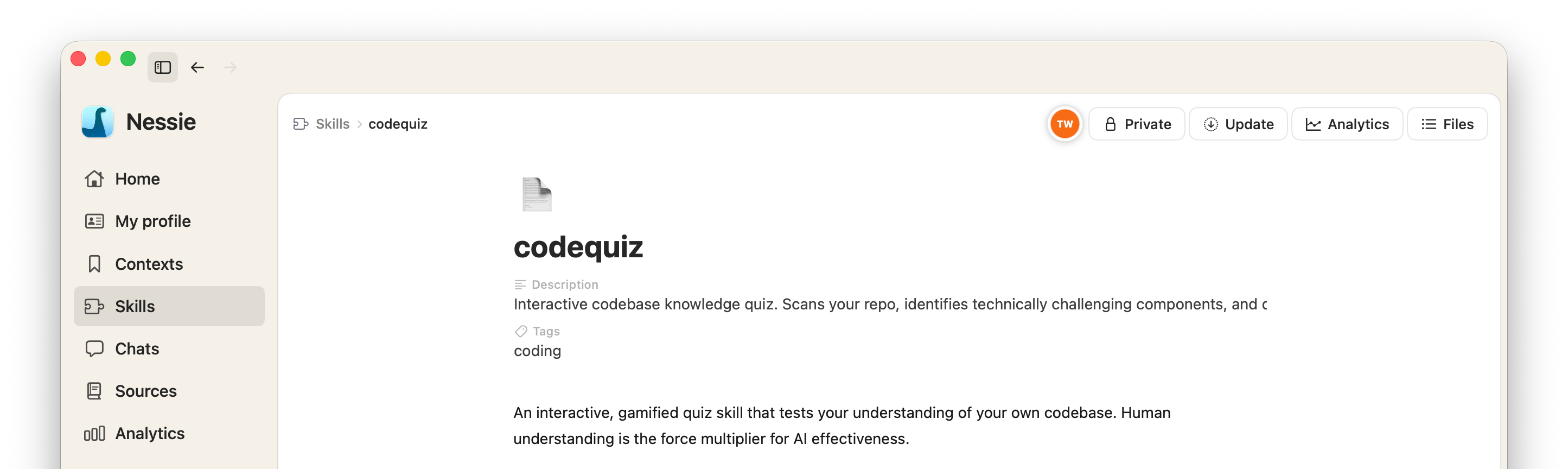
- A new skill opens in the editor. The root document is
SKILL.md
Edit a skill The editor shows the skill as a document. Description and tags live in the frontmatter and appear as fields above the body. Add extra files or folders from the Files menu when the skill needs examples, scripts, or references.
A skill needs a valid SKILL.md before you can install it. Rows that still need one show Needs a valid SKILL.md.
Import skills you already have The Skills library can pick up unmanaged packages from the global Claude Code and Codex skill folders.
- Available to import lists local skills Nessie does not yet manage. Open a row to preview it, then import
- Import from folder scans a directory you choose. If the folder holds more than one skill, Nessie imports it as a bundle
- Import all imports every listed group. One failure does not stop the rest

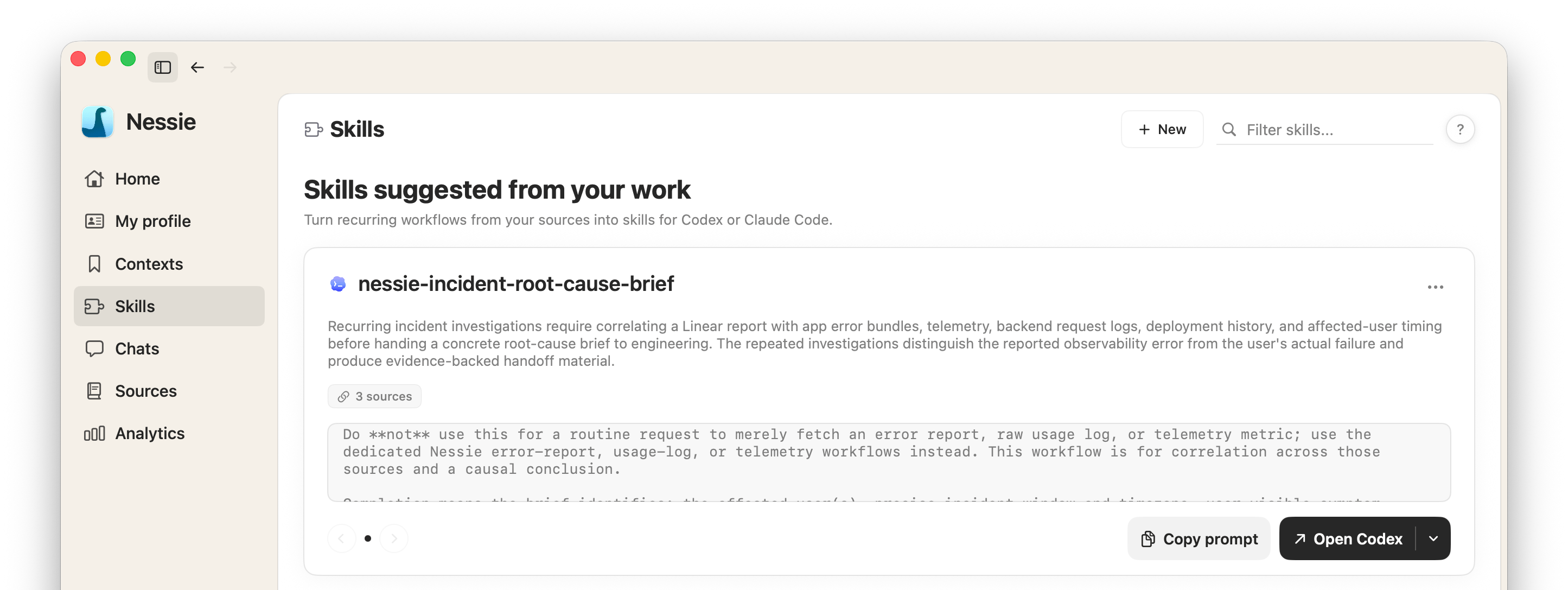
Suggestions from your work Nessie suggests skills from your recent agent sessions. Each suggestion includes supporting sources, a ready-to-use creation prompt, and a name that follows your existing conventions. Copy the prompt into Claude Code or Codex, or dismiss a suggestion for now.
Install onto an agent
- Open a skill or bundle and click Install, or use Install from the row menu
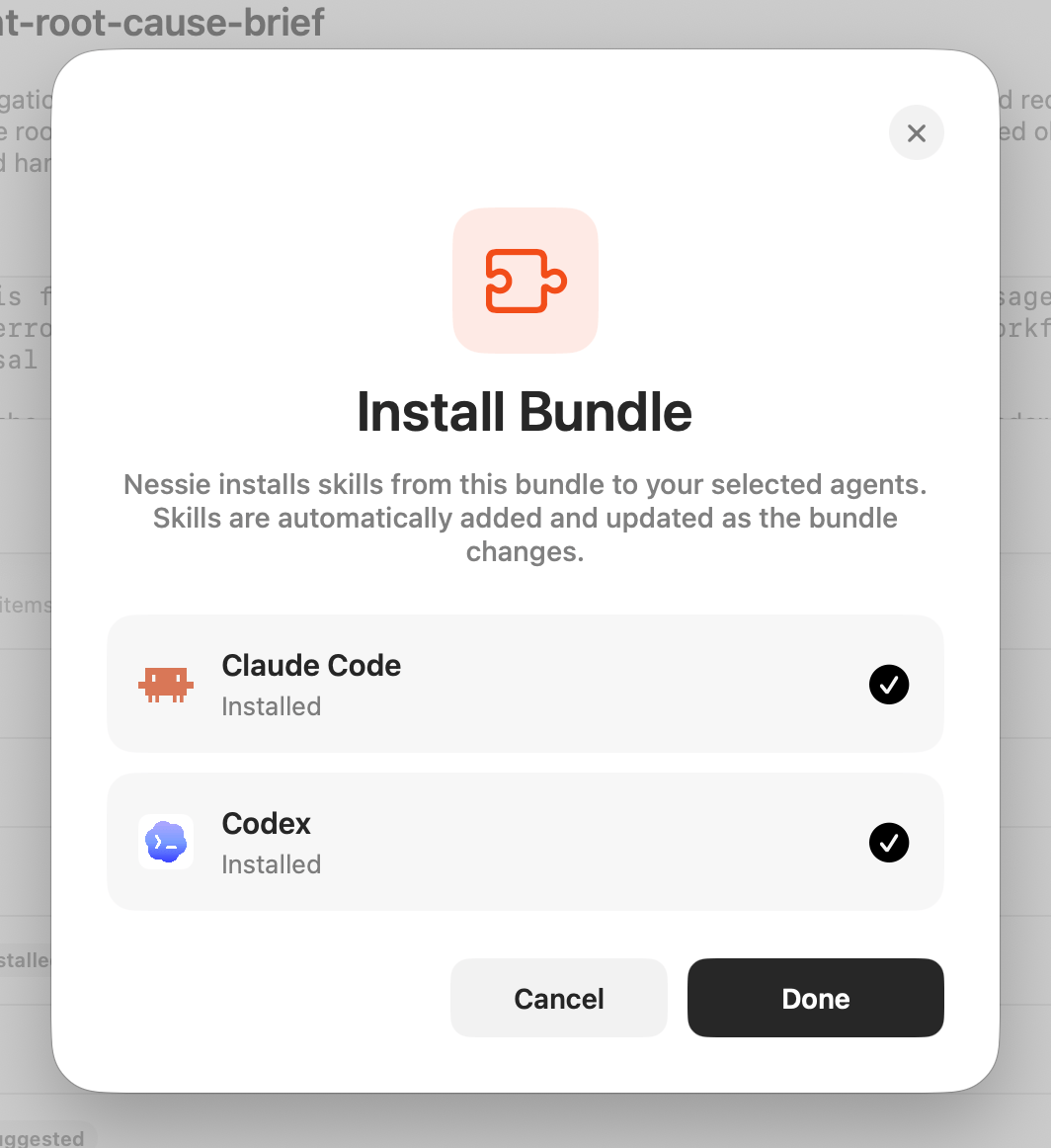
- Choose Claude Code, Codex, or both
- Nessie writes a managed copy into that agent's skill folder and keeps it updated
Installing a bundle keeps every skill in the bundle installed as the bundle changes. You can uninstall the managed copy from the same dialog.
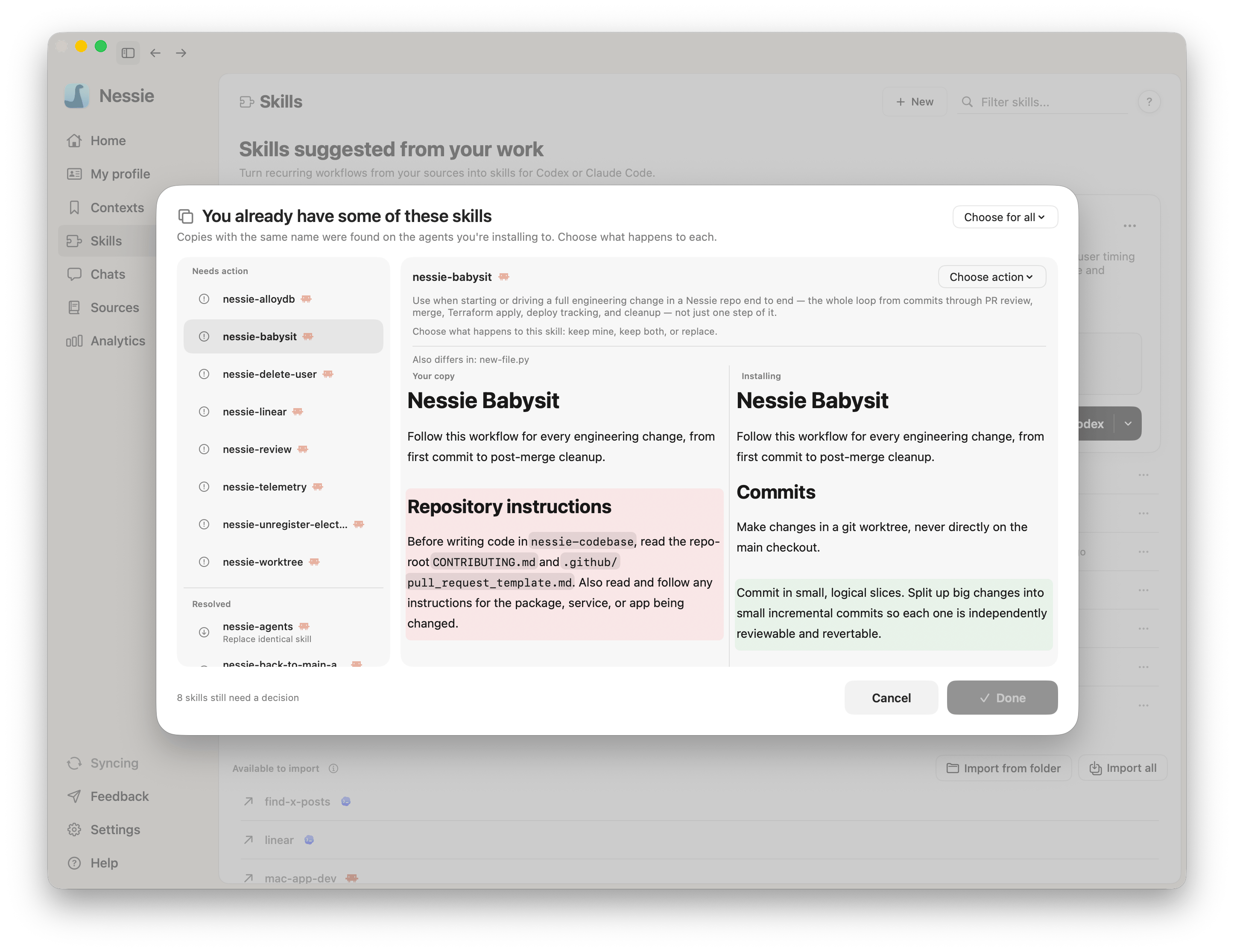
If a local skill already uses that name Nessie probes the destination before writing:
- An empty or identical folder installs immediately
- A copy you edited outside Nessie asks before it is replaced
- A genuinely different package opens a conflict view with the two
SKILL.mdfiles side by side. Choose Replace local copy or Keep both
Nothing is written until you choose.