Hermes lets Nessie import hermes-agent conversations from the Mac running Nessie or from a remote machine.
Want Hermes to search and read your Nessie library instead? See Connect Hermes to Nessie through MCP.
Connect Hermes on this Mac:
- Go to Settings → Integrations
- Click Add integration
- Select Hermes
- When Nessie detects Hermes on your Mac, click Connect
Connect Hermes on a remote machine:
- In the Nessie Mac app, create an API key in Settings → Security (API keys on older app versions)
- On the machine where Hermes runs, install and start the Nessie daemon:
npm install -g @nessielabs/daemon
nessie-daemon setup --api-key <your API key>
nessie-daemon start
The daemon runs next to Hermes and syncs its conversations to your Nessie library automatically.
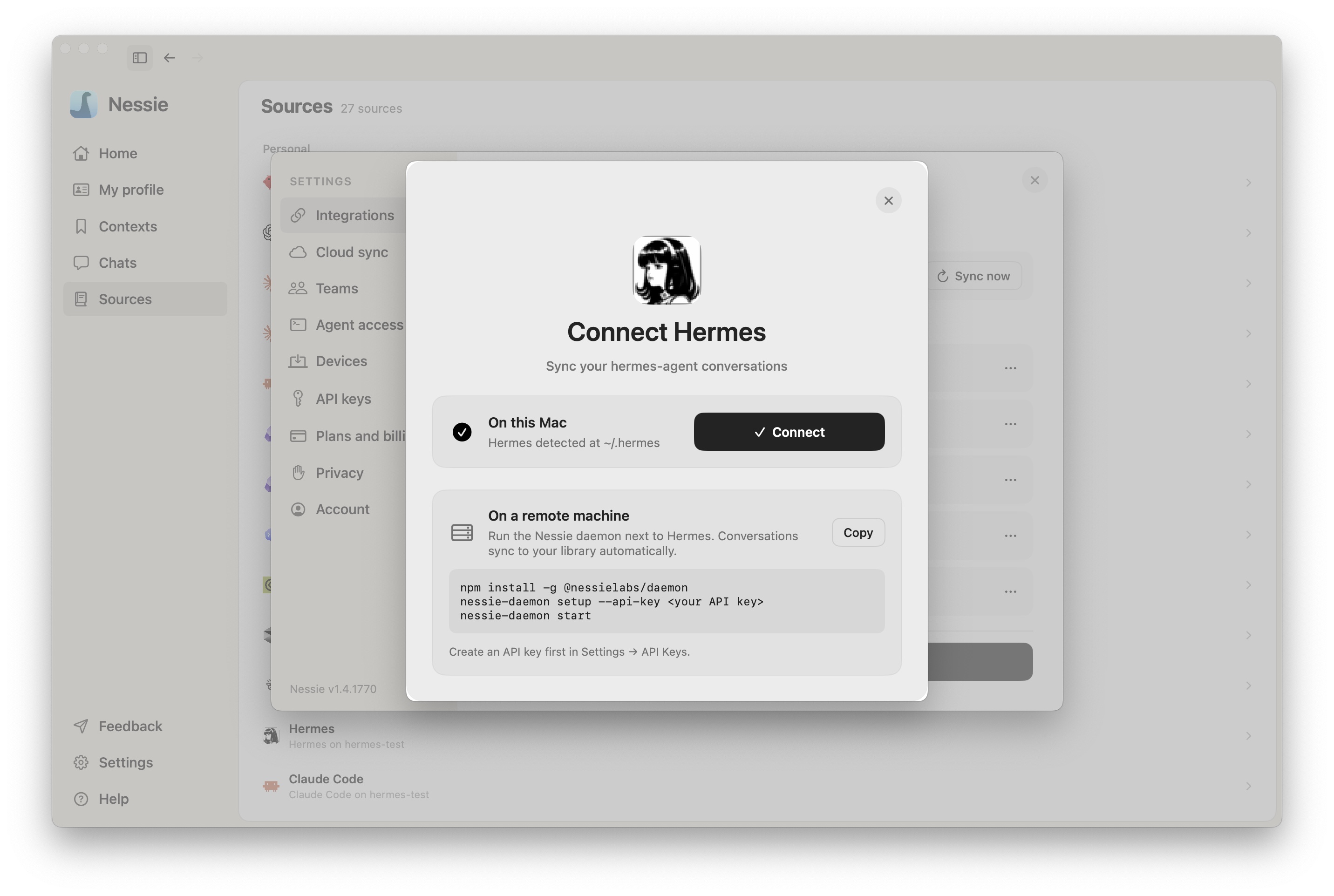
How sync works: Nessie ingests your Hermes conversations and keeps new and updated sessions synced automatically. If Hermes runs remotely, the Nessie daemon sends those conversations to your library.
Data storage: Hermes conversations connected on this Mac are stored locally by default. If Cloud Sync is enabled, they can also be stored in Nessie Cloud so they are available to MCP, Teams, agents, and your other devices. Remote Hermes conversations sync through Nessie Cloud, and the Nessie API key stays on the remote machine. You can disconnect anytime from Settings.