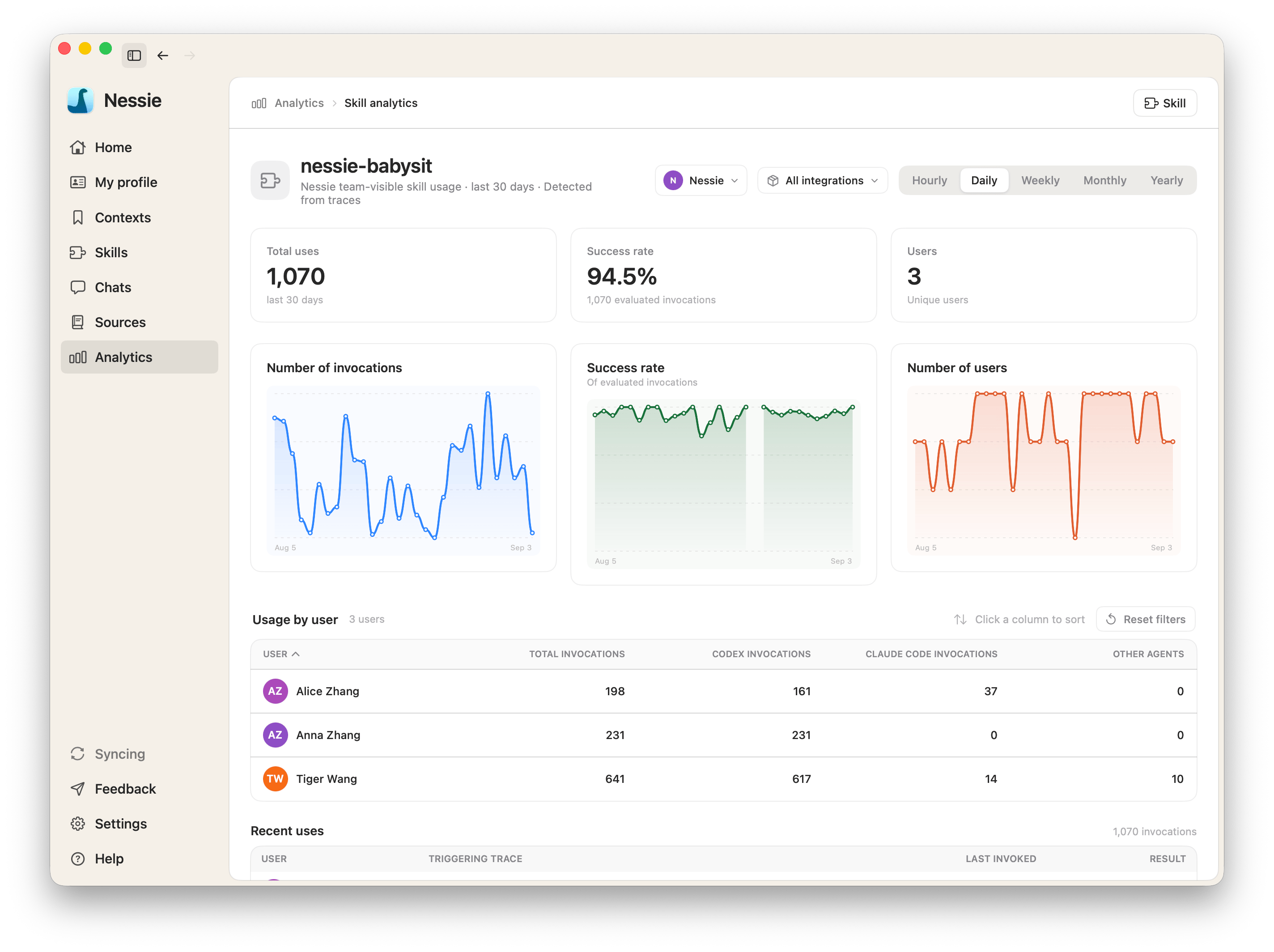
Skill analytics shows how often a skill is used, whether those uses succeed, and which agent traces they come from. Usage is detected in your synced agent sessions.
Open analytics for one skill Open the skill and click Analytics. The dashboard covers that skill's detected uses.
Browse usage across skills Open Analytics in the sidebar to see invocations, success rate, and trends for every visible skill in the current scope. Click a skill row to open its dashboard.
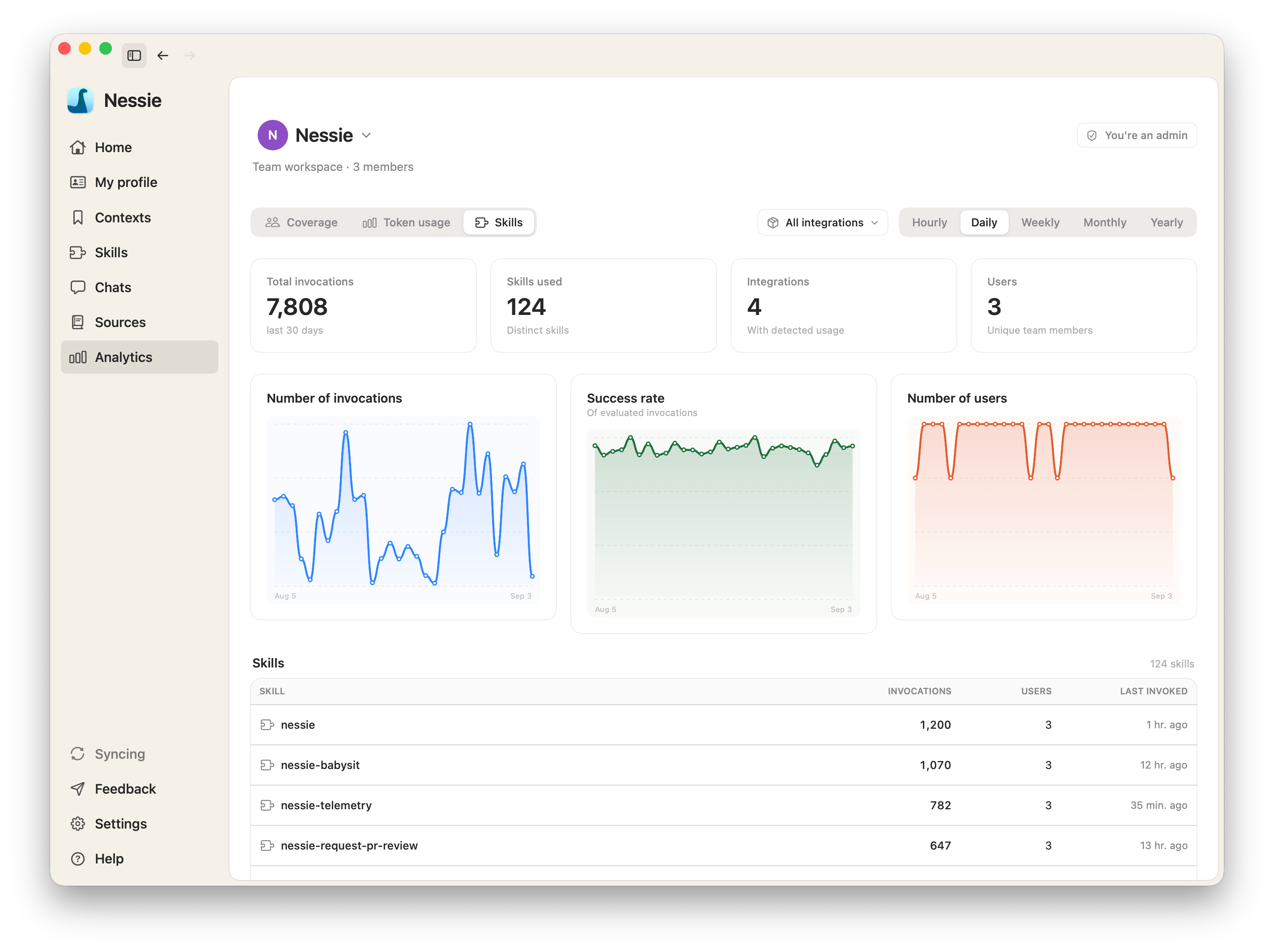
Choose a scope and range
- Personal — your own detected uses
- A team you are an admin of — uses across that team's members
- Agent — all agents, Claude Code, or Codex
- Period — last 30 days (daily), last 90 days (weekly), or last 12 months (monthly)
What you can review
- Total uses and success rate for evaluated invocations
- Users when the scope is a team you are an admin of
- Trends for invocations, success rate, and unique users
- Recent uses with links to the exact source messages
- Evaluation details on each recent use. See Skill evals
- Agent-submitted feedback collected from those agent sessions
Team admins also see a per-person table on the team-scoped dashboard.
Analytics reads detected skill usage from synced agent traces. A skill you created but never installed will not appear until an agent actually uses it.