Obsidian lets Nessie index local vault notes alongside your AI conversations and contexts. Connect a vault folder that already contains .obsidian.
How to connect:
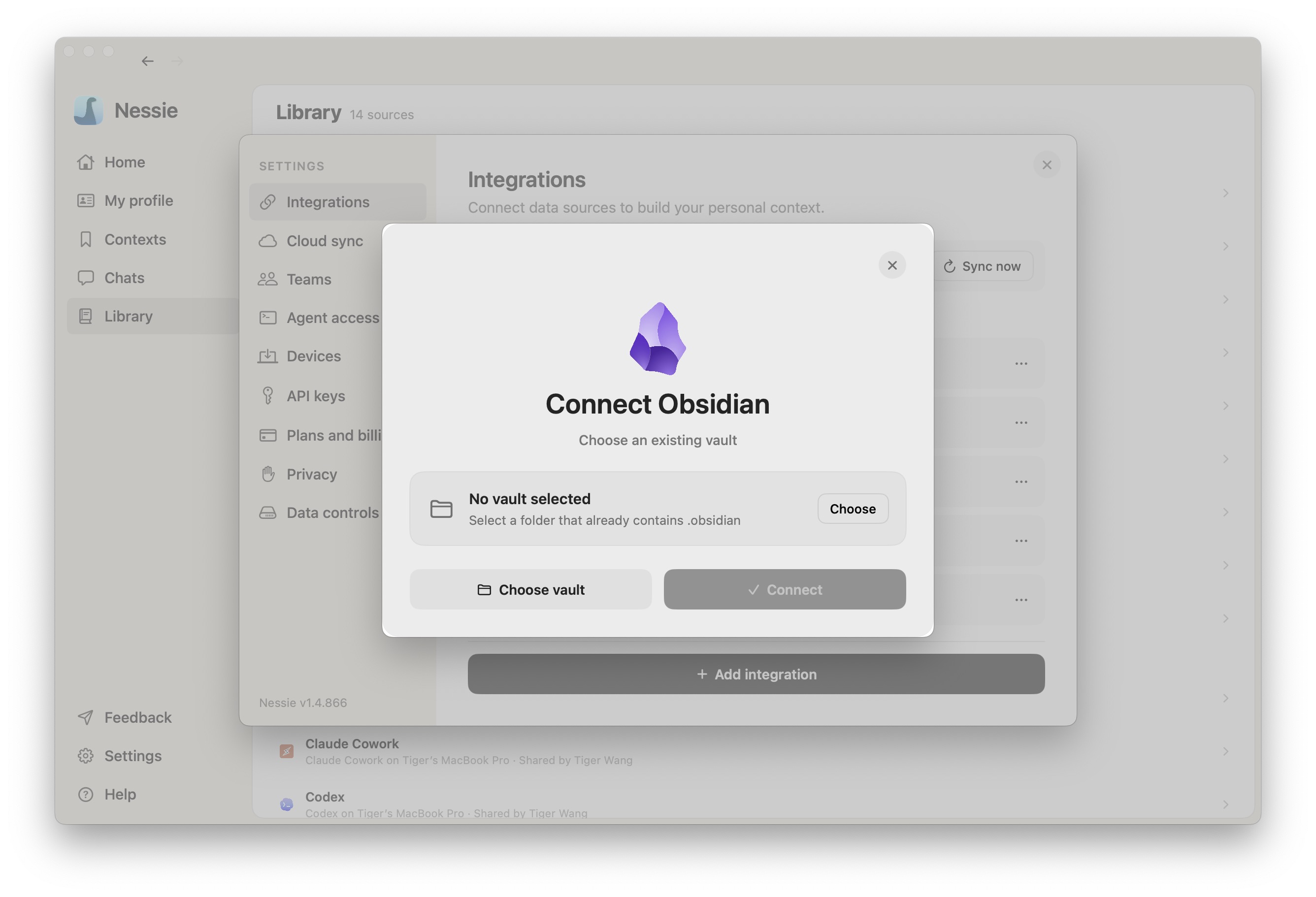
- Go to Settings → Integrations
- Click Add integration
- Select Obsidian
- Click Choose vault and select the Obsidian vault folder
- Click Connect
How sync works: Obsidian is a local integration. Nessie reads all available markdown files from the vault path you select and imports them into your Library so they can be searched, cited, and used as sources.
Nessie preserves the vault hierarchy as source nodes:
- The vault appears as its own source root
- Folders remain browsable folders
- Markdown files become searchable notes
- Deleted or moved vault files are cleaned up on the next sync
Agents can browse the vault or folder tree before searching, then search within a specific vault or folder when they need narrower context.
Multiple vaults: You can connect more than one Obsidian vault. Each vault appears as its own source root in Library, MCP, and CLI discovery.
Data storage: Obsidian notes are stored locally by default after import. If Cloud Sync is enabled, imported notes can be stored in Nessie Cloud so they are available to MCP, Teams, agents, and your other devices. Your local vault files remain on your Mac, and you can disconnect a vault anytime from Settings.